

Asana has been a default choice for project management for years, but a growing number of teams are searching for Asana alternatives in 2026. The reasons vary: the free plan caps out at a small number of members, the interface can feel heavier than a team actually needs, and teams that already run their day on Gmail, Google Calendar, and Google Drive end up managing yet another disconnected app just to track tasks.
If any of that sounds familiar, you are in the right place. This guide compares the best Asana alternatives available today, with a close look at the one option that plugs directly into the Google Workspace tools your team already uses.
What to Look for in an Asana Alternative
Before comparing specific tools, it helps to define what actually matters when replacing Asana.
- Free tier that fits real teams: Asana’s free plan restricts the number of members, which forces many small teams onto a paid plan sooner than expected.
- Board and list views: A visual kanban layout, similar to what Asana offers, is table stakes for most teams switching tools.
- Google Workspace integration: If your team lives in Gmail and Google Calendar, native syncing removes a huge amount of daily friction.
- Low setup time: The best replacement should not require weeks of re-training or data migration.
- Shared visibility: Assigning tasks, tracking due dates, and seeing who owns what needs to stay simple, not buried in menus.
With those criteria in mind, here are the strongest Asana alternatives to consider this year.
Best Asana Alternatives in 2026
1. TasksBoard: The Best Option for Google Workspace Teams
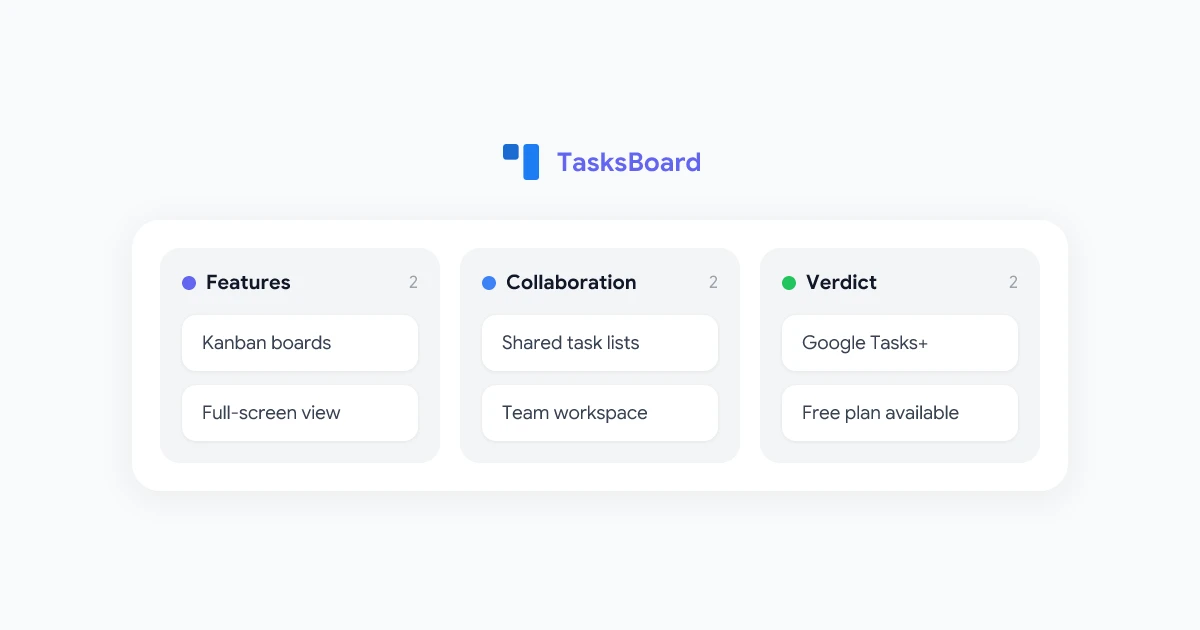
If your team already runs on Google, TasksBoard is the most direct Asana replacement available. It is a full-screen kanban interface built directly on top of Google Tasks, so every task you create automatically syncs with Gmail, Google Calendar, and the Google Tasks mobile app.
What TasksBoard adds on top of native Google Tasks:
- Kanban board view: Google Tasks lists become columns, and each task becomes a draggable card, giving you the same visual workflow Asana offers.
- Team sharing: Share any list with a teammate using their Google account and assign ownership of individual tasks.
- Subtasks: Break larger tasks into smaller steps without leaving the board.
- Full-screen workspace: A dedicated desktop-class view instead of a cramped Gmail sidebar.
- Generous free plan: The core features are free, with no artificial member cap that forces an upgrade.
 Try TasksBoard
A full-screen kanban board for Google Tasks. Share lists, assign work, and track projects visually, all synced to your existing Google account.
Get Started →
Unlike Asana, there is nothing to migrate. If your team already uses Google Tasks in any form, that data is already inside TasksBoard the moment you sign in with your Google account.
2. ClickUp
ClickUp positions itself as an all-in-one workspace, bundling tasks, docs, and goals into a single platform with a generous free tier.
- Best for: Teams that want maximum flexibility and are comfortable spending time on setup.
- Free tier: Unlimited tasks and members, with some feature limits on the free plan.
- Google integration: Supports Google Drive attachments and Google Calendar sync, but does not live natively inside Gmail.
- Tradeoff: Extremely feature rich, which can also mean a steeper learning curve for teams that just want a simple task board.
3. Trello
Trello remains one of the simplest kanban tools on the market and is a common landing spot for teams moving away from Asana’s more structured workflow.
- Best for: Teams that want a lightweight, visual board without heavy project management features.
- Free tier: Yes, though the free plan limits the number of boards per workspace.
- Google integration: Limited to Google Drive attachments through Power-Ups.
- Tradeoff: Very easy to learn, but lacks the reporting and workflow automation that some Asana users rely on.
4. Monday.com
Monday.com offers colorful, highly customizable boards and is popular with marketing and operations teams coming from Asana.
- Best for: Teams that want visual customization and automation without heavy technical setup.
- Free tier: Limited to a small number of seats.
- Google integration: Available through native integrations, but requires a paid plan for full functionality.
- Tradeoff: Powerful automation, but pricing scales quickly once a team grows past the free tier.
5. Notion
Notion is not a dedicated project management tool, but its database views can replicate an Asana-style board for teams that also want notes and documentation in the same place.
- Best for: Small teams or individuals who want tasks, notes, and wikis combined into one workspace.
- Free tier: Generous for individuals, more limited for team collaboration.
- Google integration: Minimal. Notion does not sync with Google Tasks or Google Calendar natively.
- Tradeoff: Highly flexible, but building a working project board from scratch takes more setup time than a purpose-built tool.
Asana Alternatives Free: Is Google Tasks a Real Option?
One of the most searched terms in this space is asana alternatives free, and the answer is often already sitting inside your Google account. Google Tasks is a native task manager built into Gmail, Google Calendar, and Google Drive, and it costs nothing to use.
The catch is the interface. On its own, Google Tasks is a simple sidebar list with no board view and no way to visualize progress across a project the way Asana does. That gap is exactly what TasksBoard is built to close.
With TasksBoard layered on top, Google Tasks becomes a full kanban board, complete with shared lists and assignable cards, while your data stays exactly where it already lives. For a closer look at how the board view works, the guide on turning Google Tasks into a kanban board covers the setup in detail.
Asana vs Google Tasks + TasksBoard: A Direct Comparison
| Feature | Asana (Free) | Google Tasks + TasksBoard |
|---|---|---|
| Kanban board view | Yes | Yes (via TasksBoard) |
| Member limit on free plan | Yes, capped | No hard cap |
| Subtasks | Yes | Yes |
| Google Workspace sync | Partial, via integrations | Native |
| Shared lists and assignments | Yes | Yes |
| Cost | Free with limits, paid tiers scale quickly | Free |
| Setup time for existing Google users | Requires migration | None, data already exists |
For teams that already run on Google Workspace, this combination covers the core project tracking features most teams actually use from Asana, without adding another standalone account to manage. If you are also weighing dedicated task apps, the Google Tasks vs Todoist comparison breaks down how Google’s native tool holds up on its own.
How to Switch from Asana to TasksBoard
Moving a team off Asana takes longer when there is more historical project data to migrate, but the basic switch to TasksBoard can be done in a few minutes.
- Go to tasksboard.com and sign in with your Google account.
- Recreate your active projects as task lists: Each Google Tasks list becomes a column on your TasksBoard.
- Add current tasks: Bring over only the tasks your team is actively working on rather than the full historical backlog.
- Share lists with your team: Add teammates using their Google email addresses so everyone can see ownership and due dates.
- Start working from the board: Drag cards between columns exactly as your team would in Asana.
For teams evaluating whether this setup fits their workflow long term, the full TasksBoard review covers every feature and pricing detail.
Which Asana Alternative Should You Choose?
The right choice depends on what is actually pushing your team away from Asana.
- Google Workspace team looking to cut costs: TasksBoard. It removes the member cap that forces small teams onto paid Asana plans and keeps everything synced to tools you already use.
- Team that wants maximum flexibility: ClickUp, though expect a longer setup process.
- Team that wants the simplest possible board: Trello, if you do not need Asana-level reporting.
- Team focused on visual customization: Monday.com, once budget allows for the paid tiers.
- Individual or very small team: Notion or Google Tasks used directly, both free and low commitment.
TasksBoard: A Free Board for Google Tasks
Get a visual kanban board, shared lists, and a full-screen workspace built on Google Tasks. No member cap, no migration, no new account to manage.
Try TasksBoard Free →
Frequently Asked Questions
Final Thoughts
Asana is still a capable platform, but its free plan limits and the friction of running a separate app outside Google Workspace are enough to send plenty of teams looking for something simpler. For teams that already live in Gmail and Google Calendar, TasksBoard offers the closest match: a real kanban board, shared task lists, and zero migration, all built on top of tools you already use every day.
If your team is still deciding, the guide on sharing Google Tasks with teammates is a good next step for understanding how collaboration works before you commit to a switch.