Industry Insights · 14 min read

Best AI Productivity Tools in 2026: Work Smarter Every Day

Discover the best AI productivity tools in 2026 that help teams write faster, manage emails, run better meetings, and stay on top of tasks—all from Google Workspace.

Mathias Gilson

Written by

Mathias Gilson

CEO, Qualtir

Best AI Productivity Tools in 2026: Work Smarter Every Day

On this page

Artificial intelligence is no longer a future promise — in 2026, the best AI productivity tools are built directly into the apps where you already do your work. From writing emails in Gmail to summarizing meetings in Google Meet, AI has become the silent co-worker that handles the repetitive, time-consuming parts of knowledge work.

But with hundreds of tools on the market, how do you know which ones actually move the needle? This guide covers the top AI productivity tools in 2026, what they do well, and how to build a stack that fits the way you actually work — without the bloat.

Why AI Productivity Tools Matter More Than Ever in 2026

The average knowledge worker spends nearly 2.5 hours a day reading and responding to emails, according to McKinsey. Add meeting prep, document drafting, and task tracking, and you’re left with a fraction of your day for deep work.

The best ai productivity tools in 2026 don’t just automate tasks — they amplify your output. A well-chosen AI stack can:

  • Cut email time in half by drafting replies, summarizing threads, and flagging priority messages
  • Accelerate writing by generating first drafts, improving tone, and checking grammar in context
  • Capture meeting value automatically with transcription, action item extraction, and summary generation
  • Surface the right tasks at the right time instead of requiring you to manually reorganize to-do lists

The shift in 2026 is that these tools work inside the apps you already use — not as separate platforms that require a workflow change.

The 5 Categories of AI Productivity Tools

Before diving into specific tools, it helps to understand the categories. The best AI productivity tools in 2026 fall into five buckets:

AI Productivity Stack — The 5 Categories
Writing & Content — AI-assisted drafting for docs, emails, and presentations
Email & Communication — Smart compose, email triage, and follow-up tracking
Meetings & Transcription — Automated notes, summaries, and action items
Task & Project Management — AI prioritization, smart scheduling, and progress tracking
Data & Research — AI-powered analysis in spreadsheets, reports, and dashboards

Best AI Tools for Writing and Content (Google Workspace)

For teams already living in Google Docs, Slides, and Sheets, the best ai productivity tools are the ones that plug directly into those surfaces — no tab-switching required.

GPT Workspace

GPT Workspace brings the power of ChatGPT into every Google app you use. Unlike standalone AI chatbots, it works as a sidebar within Gmail, Docs, Sheets, Slides, and Drive — letting you generate, rewrite, and refine content without leaving your workflow.

Key capabilities in 2026:

  • Smart Compose in Google Docs — generate full drafts from a headline or bullet points
  • Gmail AI Reply — write context-aware email replies based on the thread
  • Sheets formulas — describe what you want in plain English; get the formula instantly
  • Slides generation — create a full presentation outline from a prompt
GPT Workspace logo Try GPT Workspace

Use ChatGPT directly inside Gmail, Google Docs, Sheets, and Slides. Draft emails, generate content, and analyze data without switching tabs.

Get Started →
GPT Workspace in Google Docs

For a full breakdown of every feature, see our GPT Workspace guide.

Google Gemini (Built-in)

Google’s native AI, now integrated throughout Workspace, handles basic writing assist, summarization, and smart suggestions. It’s free for Workspace users and solid for everyday tasks. However, it lacks the depth of GPT-4-class models for complex writing, technical documents, or advanced prompt engineering — which is where a dedicated tool like GPT Workspace fills the gap.

Best AI Tools for Email Management

Email is where most knowledge workers lose the most time. The best ai tools for business in the email category focus on three jobs: triage, drafting, and tracking.

AI Email Drafting

AI drafting tools have become table stakes in 2026. The standard workflow: open an email thread, click generate, review and send. GPT Workspace does this natively inside Gmail — it reads the thread context and generates a response that matches your tone.

For bulk personalized outreach, Mail Merge by Qualtir lets you combine AI-generated templates with Google Sheets data to send hundreds of individually personalized emails in minutes. See our guide on mail merge in Gmail for the full step-by-step.

Email Open Tracking

If you’re sending important emails — proposals, follow-ups, sales outreach — knowing whether they’ve been opened changes how you follow up. Mail Tracker adds lightweight read receipts to Gmail, showing exactly when and how many times your email was opened.

This is particularly useful when combined with a follow-up strategy: if an email was opened 3 times but never replied to, it signals high interest and a well-timed follow-up is worth sending. Learn more in our article on email follow-up strategy with open tracking.

Best AI Tools for Meeting Productivity

Meetings eat time, but they don’t have to eat productivity. AI meeting tools in 2026 have matured significantly — they now capture, transcribe, summarize, and distribute meeting content automatically.

AI Meeting Recorders

Record Meeting records Google Meet sessions and generates structured summaries with key decisions, action items, and next steps. For remote and hybrid teams, this eliminates the “I missed the meeting” problem entirely — anyone can catch up in 2 minutes by reading the AI summary.

For a comparison of options, see our AI meeting recorder guide.

Google Meet Native Transcription

Google Meet’s built-in transcription has improved considerably. In 2026, it handles multi-speaker separation and auto-generates a transcript that syncs to Google Drive. It’s free for most Workspace plans but lacks action item extraction and structured summaries — making it better as a backup than a standalone solution.

Best AI Tools for Task Management

The best ai productivity tools for tasks go beyond checklists. They help you prioritize intelligently, visualize progress, and connect tasks to real deadlines.

TasksBoard for Google Tasks

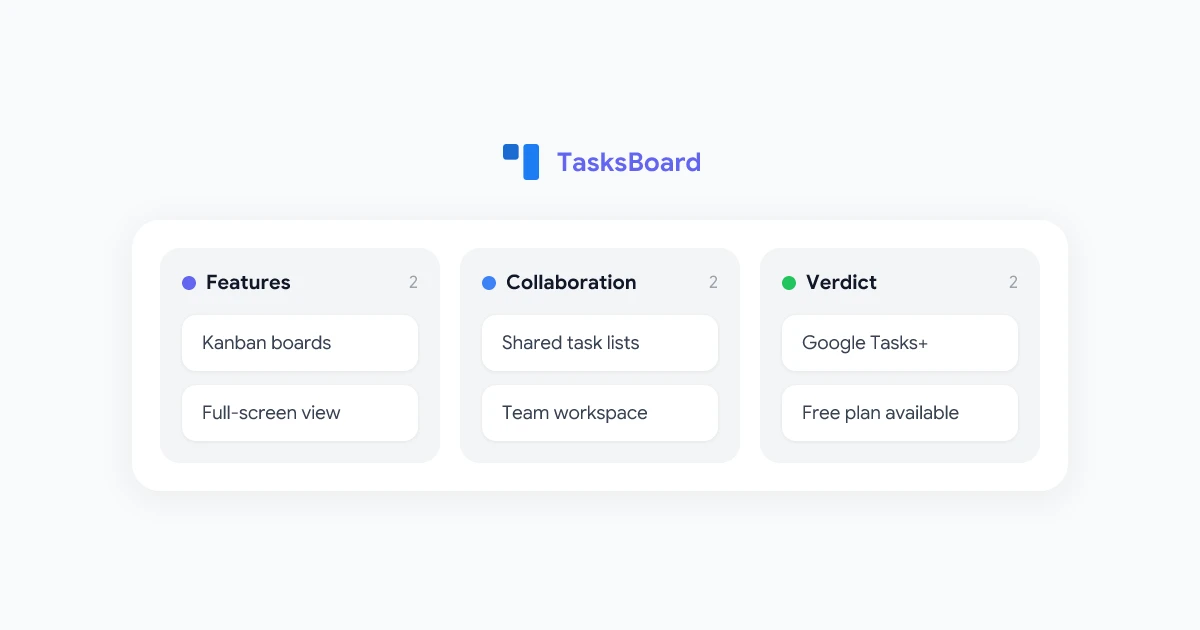
TasksBoard transforms Google Tasks into a full kanban board interface. While Google Tasks handles the underlying data sync, TasksBoard adds a visual layer: drag-and-drop boards, list views, and calendar integration. For teams that already use Google Workspace, it’s the lowest-friction way to upgrade from scattered tasks to an organized productivity system.

Read our Google Tasks kanban board guide to see how to set it up.

AI-Powered Prioritization

Several tools in 2026 now use AI to auto-prioritize tasks based on due dates, email context, and calendar load. The core idea: instead of manually triaging your task list each morning, the AI surfaces what you should focus on first based on everything it can see.

How to Build Your AI Productivity Stack in 2026

The trap most teams fall into is buying too many tools that overlap. Here’s a practical framework for building a lean, high-impact AI productivity stack:

Step 1: Audit where time goes. Track your work for one week across categories: email, writing, meetings, tasks. Identify the single category consuming the most time.

Step 2: Start with one tool. Pick the highest-leverage category and adopt one tool deeply before adding more. Breadth of tools rarely beats depth of adoption.

Step 3: Prioritize native integrations. Tools that work inside Gmail, Docs, and Sheets deliver faster ROI because they don’t require workflow changes. A tool that requires you to switch apps will be abandoned within weeks.

Step 4: Measure output, not just activity. The best ai productivity tools for business show measurable results: emails answered per hour, documents produced per week, meetings summarized per month. If a tool doesn’t move these numbers after 30 days, drop it.

The Lean AI Stack for Google Workspace Teams
  • Writing & email drafting: GPT Workspace (Gmail, Docs, Sheets, Slides)
  • Email open tracking: Mail Tracker (Gmail)
  • Bulk personalized email: Mail Merge (Gmail + Google Sheets)
  • Meeting recording & summaries: Record Meeting (Google Meet)
  • Task management: TasksBoard (Google Tasks)

Understanding where the market is heading helps you invest in tools with staying power rather than chasing novelty.

1. Context-aware AI is the new standard. The best tools in 2026 don’t just respond to prompts — they understand the context of what you’re working on. A good email AI reads the thread before suggesting a reply. A good document AI reads the brief before generating a draft.

2. Google Workspace integration is a competitive requirement. With over 3 billion active users across Gmail, Docs, and Sheets, the Google Workspace ecosystem has become a forcing function. Any AI productivity tool that doesn’t integrate here is fighting an uphill adoption battle in 2026.

3. AI is shifting from standalone apps to embedded features. The standalone AI chat interface is giving way to sidebar assistants, context menus, and keyboard shortcuts that live inside existing workflows. This is why tools like GPT Workspace — which live inside the apps you already open every day — are outpacing standalone LLM interfaces in enterprise adoption.

4. Multimodal inputs are going mainstream. In 2026, the best productivity AI tools handle text, documents, spreadsheets, and even voice — all in one interface. This reduces the need for separate transcription, OCR, and analysis tools.

Frequently Asked Questions

What is the best AI productivity tool in 2026?
There's no single "best" tool — the answer depends on where you spend most of your time. For Google Workspace users, GPT Workspace is the highest-leverage starting point because it covers writing, email, spreadsheets, and presentations in a single add-on. From there, adding a meeting recorder (Record Meeting) and an email tracker (Mail Tracker) covers 80% of most knowledge workers' daily workflow.
Are AI productivity tools free?
Many AI productivity tools offer free tiers with usage limits. GPT Workspace has a free plan that includes basic access to AI in Google apps. Mail Tracker's free tier covers essential open tracking. For heavy users or teams, paid plans typically unlock unlimited usage, team features, and priority support. Most tools cost between $5–$20/month per user, which pays for itself quickly if it saves even 30 minutes a day.
How do I use AI to boost productivity at work?
Start with the task that consumes the most time in your day. If that's email, use an AI tool to draft replies and triage your inbox. If it's writing, use an AI writing assistant inside your document editor. If it's meetings, use an AI recorder to auto-generate summaries. The key is to integrate AI into existing habits — not create new ones. Tools that live inside Gmail or Google Docs get used; standalone apps usually don't.
What AI tools work with Google Workspace?
Several Qualtir tools are purpose-built for Google Workspace: GPT Workspace adds AI to Gmail, Docs, Sheets, and Slides; Mail Merge enables bulk personalized emails via Gmail + Google Sheets; Mail Tracker adds open tracking to Gmail; TasksBoard enhances Google Tasks with a kanban interface; and Record Meeting captures and summarizes Google Meet sessions. All integrate natively without requiring a platform switch.
Will AI replace productivity apps like Gmail or Google Docs?
Not in the near term. AI is enhancing these apps, not replacing them. The trend in 2026 is toward AI becoming an embedded layer within existing tools — a sidebar, a suggestion, a shortcut — rather than a separate destination. Gmail still handles email delivery and organization; AI handles the cognitive work of reading, drafting, and prioritizing within it.

Conclusion

The best AI productivity tools in 2026 are not about novelty — they’re about eliminating friction in the work you already do. For teams using Google Workspace, the highest-ROI stack starts with GPT Workspace for writing and email, a meeting recorder for capturing decisions, and a task manager for staying organized.

The common thread: tools that integrate into your existing workflow outperform standalone AI apps every time. You don’t need a new platform — you need smarter versions of the tools you already use.

Ready to start? GPT Workspace gives you AI writing, email, and spreadsheet assistance inside every Google app — free to try, no credit card required.

Related Articles