Industry Insights · 13 min read

Remote Work Software in 2026: The Essential Stack for Distributed Teams

Discover the best remote work software for 2026. From meeting recording to task management, build the perfect distributed team stack with these proven tools.

Mathias Gilson

Written by

Mathias Gilson

CEO, Qualtir

Remote Work Software in 2026: The Essential Stack for Distributed Teams

On this page

Remote work has shifted from emergency adaptation to permanent operating model for millions of teams. Over 30% of knowledge workers now work fully remotely, and hybrid schedules are even more common. The software choices teams made during the initial scramble in 2020 and 2021 were not always the right ones. In 2026, the remote work software landscape has matured significantly, and the question is no longer “which video app should we use?” but “how do we build an integrated productivity stack that performs as well at home as it does in the office?”

This guide covers the essential categories of remote work software, the tools worth considering in each, and a practical framework for building a stack that supports communication, accountability, and collaboration across any time zone.

The Core Categories Every Remote Team Needs

Building a remote work software stack is not about downloading every productivity app available. It is about covering specific needs that become harder to meet when everyone is working from a different location.

Five Categories That Matter for Distributed Teams

Communication

Real-time and async messaging

Meeting Management

Recording, transcription, summaries

Task Management

Shared visibility on who does what

File Collaboration

Real-time document editing

AI Assistance

Automating repetitive tasks across all categories

Tools that span more than one category are almost always the best investment. A platform that records meetings and generates AI summaries, for example, replaces two or three single-purpose apps and reduces the number of logins your team needs to manage.

Video Conferencing: The Foundation

Any remote work setup starts with video conferencing. This category is mature and highly competitive, with Google Meet, Zoom, and Microsoft Teams dominating the market. Each has distinct strengths.

Google Meet integrates natively with Google Calendar, Gmail, and Google Drive. For teams already on Google Workspace, it is the lowest-friction option: one click from any Calendar invite opens the meeting without additional software or plugin installs.

Zoom offers a wider range of breakout room features and is often preferred for larger events, webinars, and external client calls where participants may not have Google accounts.

Microsoft Teams bundles video conferencing with a persistent chat channel system, making it a strong choice for organizations that need both in one tool.

For a detailed comparison of conferencing platforms, see our guide to the best Zoom alternatives for 2026.

The most important decision at this stage is not which tool you pick, but that your entire team is on the same platform with meeting links, recordings, and notes in one consistent place.

Meeting Recording and Documentation

For remote teams, the meeting is never truly “over” when the call ends. Decisions get forgotten, action items go untracked, and team members who missed the call have no reliable way to catch up. Meeting recording software solves all three problems simultaneously.

Modern meeting recording tools go far beyond saving a video file. The best ones automatically transcribe the conversation, identify individual speakers, extract action items, and produce a shareable summary that takes seconds to read rather than an hour to watch.

Record Meeting logo Try Record Meeting

Automatically record, transcribe, and summarize every Google Meet, Zoom, and Teams call. No manual setup required.

Get Started →
Record Meeting screenshot

Key features to look for when evaluating meeting recording software:

  • Automatic joining: The tool should record automatically, without requiring someone to click a button at the start of every call
  • AI transcription: Accurate speech-to-text that identifies individual speakers across the conversation
  • AI-generated summaries: A concise recap of decisions and next steps, ready to share immediately after the meeting ends
  • Cross-platform support: Works with Google Meet, Zoom, and Teams, since distributed teams often use more than one conferencing platform

Remote teams that invest in meeting recording early avoid one of the most common failure modes of distributed work: institutional knowledge that exists only in the heads of whoever attended a particular call. For a broader look at how AI recorders are reshaping team workflows, see our AI meeting recorder guide.

Task and Project Management for Remote Teams

Remote work amplifies the task management problem. In an office, informal check-ins fill the gap between formal project updates. When the team is distributed, that informal layer disappears, and work can quietly stall without anyone noticing.

Good remote task management software makes work visible. Every task should have an owner, a due date, and a current status that any team member can see at a glance, without scheduling a meeting to find out.

TasksBoard logo Try TasksBoard

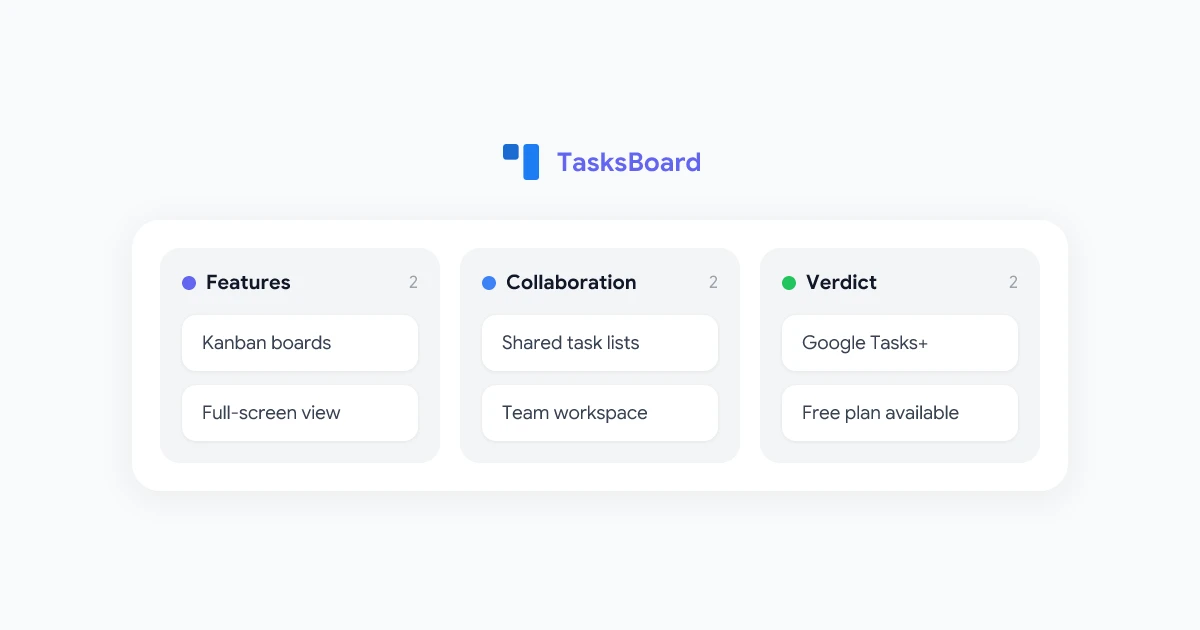
A kanban board and full-screen dashboard for Google Tasks. Visualize your team's work without leaving the Google Workspace ecosystem.

Get Started →
TasksBoard screenshot

For teams already on Google Workspace, Google Tasks offers a lightweight, free starting point. The limitation is the interface: Google Tasks’ default view is a narrow list, which breaks down quickly when managing multiple projects or a shared team workload.

TasksBoard extends Google Tasks with the features remote teams actually need:

  • Kanban board view: A visual layout showing tasks by status (To Do, In Progress, Done) is far easier to scan than a flat list
  • Multiple task lists: Separate boards for different projects or team members, all within the same Google account
  • Full-screen dashboard: Move beyond the Gmail sidebar and manage your work in a purpose-built interface
  • Shared access: Team members can view and update tasks without logging into a separate project management platform

For a practical guide on managing shared task lists, see our walkthrough on Google Tasks for remote teams.

File Collaboration and Cloud Storage

File collaboration is largely a solved problem for Google Workspace teams. Google Drive, Docs, Sheets, and Slides offer real-time co-editing that makes desktop file-sharing feel outdated by comparison.

A few practices that significantly improve remote file collaboration:

  • Shared drives over personal drives: Shared drives belong to the team, not to any individual. When someone leaves the company, their files remain accessible.
  • Consistent folder structure: A simple naming convention such as Year, Quarter, Project, Files prevents documents from getting lost as the team grows.
  • Comments instead of emails: Google Docs’ commenting and suggestion features let reviewers give feedback without creating a separate email thread that nobody else can track.
  • Shared document templates: Pre-built templates for meeting notes, project briefs, and status updates speed up recurring work and keep formatting consistent.

AI Tools That Raise the Productivity Ceiling

AI has become a practical layer on top of every remote work software category. In 2026, the best work-from-home productivity tools are not standalone AI apps, but AI-enhanced versions of the tools teams already use.

Within Google Workspace, add-ons like GPT Workspace bring ChatGPT-powered assistance directly into Gmail, Docs, Sheets, and Slides. You can draft emails, analyze spreadsheet data, summarize long documents, and build presentations without leaving the Google interface your team already knows.

The pattern repeats across every category: AI does not replace the tool, it removes the friction that makes the tool feel slow. Meeting recording with AI summaries beats manual note-taking. AI-assisted email drafting beats starting every message from a blank screen.

Building Your Remote Work Stack: A Practical Approach

Choosing remote work software is less about picking “the best” tool in each category and more about choosing tools that integrate naturally with each other. A fragmented stack, ten tools that do not connect, creates its own productivity overhead.

Stack-Building Principles for Distributed Teams
1

Start with what your team already uses

Build around your existing platform rather than introducing parallel systems that compete for attention.

2

Solve recording and documentation first

The most common remote work failure mode is decisions that disappear after meetings. Fix this early, before institutional knowledge becomes hard to recover.

3

Limit overlap between tools

If you already use Google Tasks, adding a full project management platform for the same work creates confusion. Extend what you have.

4

Pilot with one team before rolling out broadly

Bottlenecks discovered at small scale are far cheaper to fix than friction discovered after a company-wide deployment.

The teams that get the most from remote work software are not the ones with the largest tool budgets. They are the ones who have covered all five categories with tools that actually connect to each other, and that their people use consistently.

Frequently Asked Questions

What is the most important category of remote work software?
Communication tools come first, but meeting recording and documentation tend to have the largest long-term impact on distributed team performance. Most teams are already set up for video calls. The gap is usually in capturing and distributing what was actually discussed and decided.
Can I build a complete remote work stack on Google Workspace alone?
Yes, for most small to mid-size teams. Google Workspace covers communication (Meet, Gmail, Chat), file collaboration (Drive, Docs, Sheets), and lightweight task management (Google Tasks). Add-ons like TasksBoard and Record Meeting fill the specific gaps around task visualization and meeting documentation without leaving the Google ecosystem.
How do I get my team to actually adopt new remote work tools?
Adoption almost always comes down to reducing friction. The tool needs to integrate with existing workflows rather than asking people to log into a separate system. The best remote work software works where people already spend their time: inside Gmail, Calendar, or the video platform your team already uses for meetings.
What is the difference between hybrid work tools and remote work tools?
In practice, the same tools apply to both. Hybrid teams have the additional coordination challenge of syncing people in the office with people at home for the same meetings and documents. Asynchronous-first tools, those designed to work just as well without everyone online at the same time, tend to perform better in hybrid environments than tools that assume everyone is always available simultaneously.

The Remote Work Software Stack, Summarized

Remote work software does not have to be complicated. Cover the five essential categories, choose tools that fit your existing stack, and prioritize the areas where your team is losing the most time and context.

For most Google Workspace teams, that means building on a strong foundation of Meet, Drive, and Gmail, then closing the two gaps that consistently cost distributed teams the most: meeting documentation and task visibility. Purpose-built tools like Record Meeting and TasksBoard address exactly those gaps, without asking your team to abandon the ecosystem they already use every day.

Related Articles